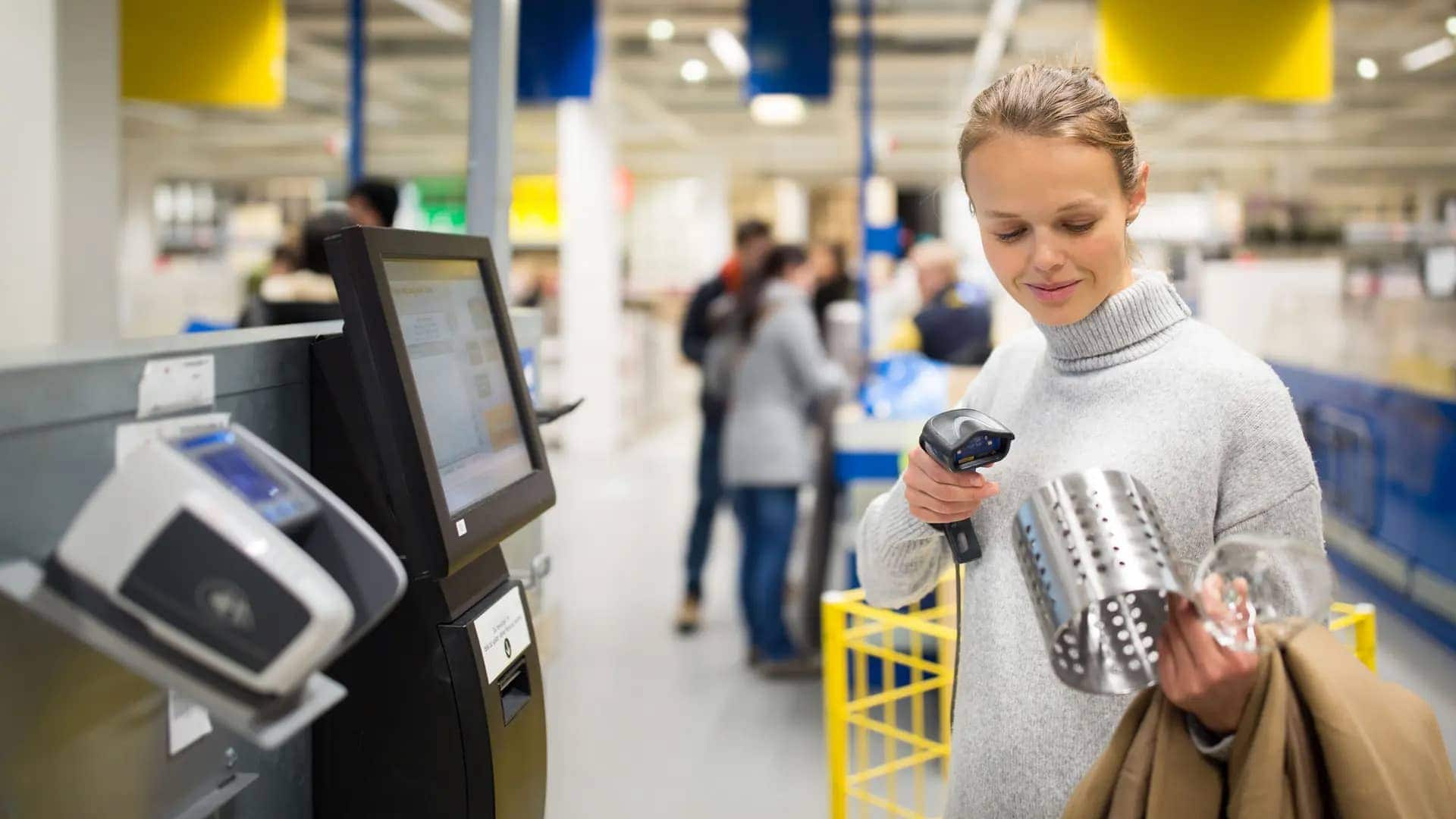
With the constant demand for greater efficiency and convenience in the retail experience, it’s not surprising that self-checkouts have become mainstream.
Once a relatively niche offering, the COVID-19 pandemic saw retailers accelerate the rollout of self-service checkout systems, their contactless nature making them a lot more appealing than the traditional cashier lane.
Self-checkouts also provide a range of other benefits, including increased operational throughput (serving more customers per hour), reduced perceived wait times, and greater autonomy for customers to manage their transaction pace. Implementing self-checkout provides customers with a personalized and efficient service.
However, self-checkouts aren’t an instant fix for a seamless customer experience in retail. The implementation and system selection will determine how successful the self-checkout performs at your storefront.
In this blog, we will cover what your small business needs to consider when implementing self-checkout.
TL;DR
- Self-checkout systems are automated checkout solutions that allow customers to process purchases independently without the need of a cashier lane.
- Self-checkouts offer benefits such as reduced wait times, increased efficiency during peak hours, and flexibility for customers.
- Poor implementation of self-checkouts can add friction to the customer experience, so it’s important to design a tailored checkout strategy and smooth implementation.
Understanding self-checkout systems
Self-checkout systems are automated hardware and software solutions, allowing customers to process their purchases at retail stores, rather than needing assistance from a cashier.
Self-checkouts are most common within retail stores that see a high volume of customers and multi-item purchases, such as grocery and convenience stores.
The appeal of self-checkout stations is two-fold. It’s intended to increase convenience and improve the in-store experience for customers by reducing wait times. Self-checkout machines also reduce labor costs by cutting down on the number of staffed lanes required in the checkout process.
Self-checkouts can take various forms within a storefront, including:
- Self-checkout kiosks. These large, standalone terminals are typically located within designated self-checkout areas at the front of a store. They allow shoppers to scan, bag, and pay for their items all in one place.
- Handheld scanners. These mobile self-checkout terminals allow shoppers to scan items one by one as they navigate the store, then proceed to a cash register to finalize the payment.
- App-based scanning and payment. Some retailers have mobile apps that convert smartphones into scanners and payment portals. Shoppers can scan items’ bar codes using the camera and make a payment within the app.
- RFID readers. Select stores are experimenting with RFID tags so that customers don’t even have to scan items to pay for them. They simply fill their carts and pass through a gate that “reads” what is the cart before prompting them for payment.
9 steps for implementing self-checkout
| Step | Summary |
| 1. Assess business needs | Understand your storefront and customer habits. Identify pain points, consider demographics, and balance labor costs with customer preferences. |
| 2. Select the right solution | Consider cost, compatibility with existing systems, scalability, and user-friendliness of the self-checkout technology. |
| 3. Integrate with existing infrastructure | Ensure chosen system integrates with POS, payment gateway, analytics tools, loyalty programs, and CRMs. Run test transactions for smooth implementation. |
| 4. Set up payments | Offer multiple payment options including cash, cards, and contactless. Ensure data protection and security. Manage cash and card-based kiosks efficiently. |
| 5. Consider user experience and accessibility | Design for ease of use, clear prompts, good screen layout, and different accessibility needs like height, auditory, and visual features, and multiple languages. |
| 6. Beef up security and loss prevention | Implement anti-theft measures like checkout supervisors, video surveillance, and AI systems to deter shoplifters. Balance security with customer convenience. |
| 7. Test and gather feedback | Pilot self-checkout in selected areas, gather customer feedback, and analyze checkout metrics to refine the system. |
| 8. Implement rollout and marketing plan | Use a phased implementation strategy. Raise awareness and educate customers about benefits like quicker transactions and loyalty points. |
| 9. Stay on top of maintenance and upgrades | Regularly maintain and upgrade the system, focusing on software/hardware updates, security audits, and new innovations for a better customer experience. |
1. Assess your business needs
Before you start investing in self-checkout infrastructure, you need to understand what system is going to work best for your storefront and customer shopping habits.
Mapping your current pain points will help you to identify the self-checkout strategy that will most improve efficiency and reduce costs.
If long checkout lines and wait times are proving to be a problem at certain times of day, self-checkout kiosks may provide a way to reduce congestion. If reducing labor costs is a key focus, then self-checkout could help alleviate your staffing issues. That said, you should also consider that employees are still required for regulating self checkout machines and to provide assistance or discourage shoplifting.
Looking at the demographics of your customer base will also help you understand how likely self-checkout is to be taken up. If you have an older customer base, you may find they prefer to use traditional checkout systems, making it important to offer a range of checkout options in your store. This means that only some of your floor needs to be converted into self-checkout lanes.
2. Select the right self-checkout solution
There’s a range of factors to consider when choosing self-checkout technology, particularly when you’re implementing a large-scale solution that means considerable changes to your storefront:
Cost. The investment required depends heavily on the chosen solution. A small business implementing mobile or tablet-based self-checkout may require minimal investment, while purchasing multiple, large-scale kiosk terminals involves a considerable upfront capital expense. Additional investments to consider include staff training, maintenance, and customer education.
Compatibility. Self-service checkouts need to integrate seamlessly with your existing point-of-sale system, as well as your systems for inventory management and sales tracking.
Scalability. Your system needs to handle increasing transaction volumes as your business grows, in addition to busy sales events or periods like the holiday season. Make sure a self-checkout solution is robust enough to future-proof your business.
User-friendliness. Self-checkouts need to be easy and intuitive for customers and staff to navigate. Choose a system that will ensure a seamless shopping experience and give consumers a reason to choose the technology. Test out the interface to determine if the ease of the system is improving the in store shopping experience.
3. Integrate with existing infrastructure
When you select a self-checkout system, you don’t want to have to redesign your entire tech stack around it. Instead, your chosen self-checkout solution should integrate directly with the front-end and back-end of your POS system and payment processor/payment platform. This tight integration is essential for seamless data flow.
It’s also important that the self-checkout machines integrate with your analytics and reporting tools, as transaction data will play a big role in assessing the success of your implementation. Other integrations to consider that are easy to overlook include loyalty programs and CRMs that add value to the customer experience.
This process will require you to work closely with your chosen provider to ensure that implementation goes smoothly. For best results, run some test transactions to get staff familiar with the new set-up and ensure that all of the moving parts i.e. scanner, POS, and payment processor are all working correctly.
4. Set up payments in your self-checkout machines
In the same way that regular checkouts need to offer a range of payment options, your self-checkout machines need to offer customers the fastest, most convenient ways to pay.
Today’s customers expect to choose from payment methods including cash, credit/debit cards, and digital wallets (Apple Pay, Google Pay). The payment terminals must support various form factors, including chip-and-PIN and contactless (NFC) transactions. The more restrictions placed on the systems, the less convenient and appealing self-checkout becomes for customers.
Just like traditional checkouts, each self-checkout lane must adhere to data protection regulations concerning payment and customer data. Security features such as end-to-end encryption ensure data is protected while in transit. Crucially, tokenization is used to replace the card number with a non-sensitive placeholder, ensuring that sensitive data is protected while at rest.
Businesses have a few choices for how to offer these payment options via self-checkout. Given that cash payments require more staff intervention and management (security, change), many businesses strategically limit cash acceptance to only one or two kiosks. This helps route card-only customers for the fastest transactions while still providing a cash option.
5. Consider user in-store shopping experience and accessibility
Ease of use is one of the most important considerations when it comes to choosing and implementing a self-checkout. If congestion and long queues are currently a problem at your storefront, it’s only going to worsen if your self-checkout process is confusing or difficult to follow.
Your system should clarify what your customer needs to do as they progress through the checkout experience. This includes clear prompts for scanning the next item or putting items into the bagging area, as well as a good screen layout with large icons and text so customers can identify how to seek assistance or make a payment.
Moreover, checkouts need to be designed for different types of accessibility. For example, kiosks should be at different heights and configurations for individuals with varying mobility. Consider auditory and visual accessibility needs with features like voiceover or high color contrast screens. If your store is in a diverse community, offering multiple language options is also an important consideration.
6. Beef up security and loss prevention
One of the big drawbacks of self-checkouts is that users can manipulate systems to shoplift items or pay less for items than they are worth, resulting in inventory shrink. While customers may do this by mistake (i.e. selecting the wrong Apple variety) this vulnerability can easily be exploited on purpose.
Again, the biggest challenge of self-checkouts is inventory shrink. While this includes true shoplifting, the most common source of loss is non-malicious scanning errors (customers forgetting to scan, or scanning the wrong product) and operational errors that lead to mis-scans. Loss prevention requires operational fixes as much as security measures.
There are a range of protective measures that storefronts can implement to discourage retail theft. This includes checkout supervisors and video surveillance, as well as AI systems designed to detect suspicious behavior such as “skip scanning.” Some retail giants have also introduced restrictions on the number of items per transaction in a bid to combat fraud.
However, introducing these measures comes at the expense of the shopping experience and gives customers the impression that they are being suspected of stealing things. Some shoppers will be uncomfortable with high levels of surveillance at self-checkout or become frustrated if their checkout experience is constantly interrupted by notifications or manual approvals from store people.
In fact, select retail locations have decided to pause or roll back the expansion of self-checkouts, citing customer complaints about slow and unwieldy checkout processes.
The bottom line? You need to balance security with customer experience considerations. If security measures result in shoppers opting for traditional checkouts instead, this system may require a rethink.
7. Test and gather feedback
Before you commit to implementing a full self-checkout system, it’s a good idea to pilot it in selected areas of your storefront. By gathering data and feedback before full implementation, it’s much easier to introduce changes that will make everything run smoothly.
For example, you could set up one or two self-checkout kiosks and appoint a staff member to supervise and ask for customer feedback. This helps your business to gauge demand for self-checkouts and gives associates the chance to engage in a productive dialogue with customers (i.e. “Would you use a self-checkout service? Why/why not?”)
This approach allows you to analyze key metrics about the checkout experience, such as average time per transaction, average number of items, and the average number of manual interventions required. If it’s taking longer for customers to complete the self-checkout than expected, this may indicate that the system does not improve the in-store checkout process as hoped.
8. Implement a rollout and marketing plan
Once you’ve chosen your self-checkout system, you need a careful strategy to ensure a smooth transition into offering self-checkout at your storefront. You also want to raise awareness about your announced plans for the new service and create interest among customers so they feel enticed to take it up.
It’s a good idea to launch a phased implementation of your new system. This means introducing a small number of self-checkout lanes to start, before expanding into the full set-up. This phased approach allows your storefront more time for testing, training, and identifying possible issues before committing to a full-scale rollout. As part of this process, you could also consider working with a small group of customers to test your self-checkout and offer feedback.
Your marketing approach should focus on educating customers on why self-checkout helps to improve their in-store experience. Talk up the benefits, such as smaller queues, quicker transactions, and easier redemption of loyalty points. In-store signage, social media posts, and word of mouth from store staff will also help to steer customers toward the self-checkout.
9. Stay on top of maintenance and upgrades
The job isn’t finished once implementation is complete. You also need to budget time and resources to ensure that your self-checkout is being properly maintained. This includes software and hardware updates, security audits, and even an appropriate cleaning schedule.
It’s a good idea to stay on the lookout for innovations that will make the self-checkout experience even more seamless for customers. This could be better accessibility features, loyalty program integrations, or paperless transactions for sustainability.
Final words
Although initially gaining widespread popularity during the pandemic, self-checkouts continue to offer businesses and consumers a variety of benefits. In addition to reducing wait times and streamlining the checkout experience, it frees up valuable resources to reinvest elsewhere in your business.
However, when implemented poorly, self-checkout can add considerable friction to the customer experience. This can contribute to a low uptake of self-checkout systems, taking the value out of your investment. By following the steps outlined above, you can ensure that your checkout strategy is tailored to the needs of your customers and that implementation goes smoothly.
Stax enables you to offer a variety of payment options at checkout. More importantly, Stax Connect provides the unified payment platform that centralizes all transaction data—from self-checkout kiosks to traditional POS—into a single reporting dashboard. This ensures automated reconciliation and transparent, low-cost processing across your entire store, maximizing the value of your self-checkout investment
Quick FAQs about self-checkout systems
Q: What are self-checkout systems?
Self-checkout systems are automated solutions that enable customers to process their purchases at retail stores independently, without the need for a cashier. They are commonly found in retail stores with high customer volume and multi-item purchases, such as grocery stores, convenience stores, and big-box stores.
Q: What are the benefits of self-checkout systems?
Self-checkout systems offer several benefits including reduced perceived wait times, increased efficiency during peak hours, flexibility for customers, and reduced labor costs. They provide a more convenient and efficient shopping experience for customers and can help businesses save on staffing costs.
Q: What are the types of self-checkout systems?
Self-checkouts can take various forms within a storefront, including self-checkout kiosks, handheld scanners, app-based scanning and payment, and RFID readers. The choice of system depends on the specific needs and preferences of the business and its customers.
Q: What should businesses consider when implementing self-checkout?
Businesses should assess their needs, select the right solution, integrate with existing infrastructure, set up payments, consider user experience and accessibility, enhance security and loss prevention measures, gather feedback, implement a rollout and marketing plan, and stay on top of maintenance and upgrades.
Q: What are some of the challenges of implementing self-checkout?
Poor implementation of self-checkouts can add friction to the customer experience. Challenges can include potential for increased shoplifting, customer resistance to technology, and the need for ongoing monitoring and maintenance. It’s important to balance security measures with customer convenience to ensure a positive experience.
Q: How does self-checkout impact the customer experience?
Self-checkout can enhance the customer experience by reducing wait times and offering more control over the transaction process. However, if not implemented well, it can add friction and lead to a negative customer experience. It’s crucial to design a user-friendly interface and consider different accessibility needs to cater to all customers.
Q: Are self-checkout systems cost-effective for small businesses?
While self-checkout systems require an initial investment, they can lead to cost savings in the long run by reducing labor costs and improving operational efficiency. However, the cost-effectiveness depends on factors such as the business’s customer demographics, shopping habits, and the choice of self-checkout technology.
Q: How does self-checkout integrate with existing business infrastructure?
An effective self-checkout system should integrate seamlessly with a business’s existing point-of-sale system, inventory management, sales tracking, and other systems like loyalty programs and CRMs. It’s important to work closely with the chosen provider to ensure a smooth implementation and to run test transactions for verification.
Q: How do self-checkout systems handle payments?
Self-checkout systems should offer a range of payment options including cash, debit/credit cards, and contactless payments. They must also adhere to data protection regulations to ensure the security of payment and customer data.
Q: What are the steps for implementing self-checkout?
The steps for implementing self-checkout include assessing business needs, selecting a self-checkout solution, integrating with existing infrastructure, setting up payments, considering user experience and accessibility, enhancing security and loss prevention, testing and gathering feedback, implementing a rollout and marketing plan, and staying on top of maintenance and upgrades.


